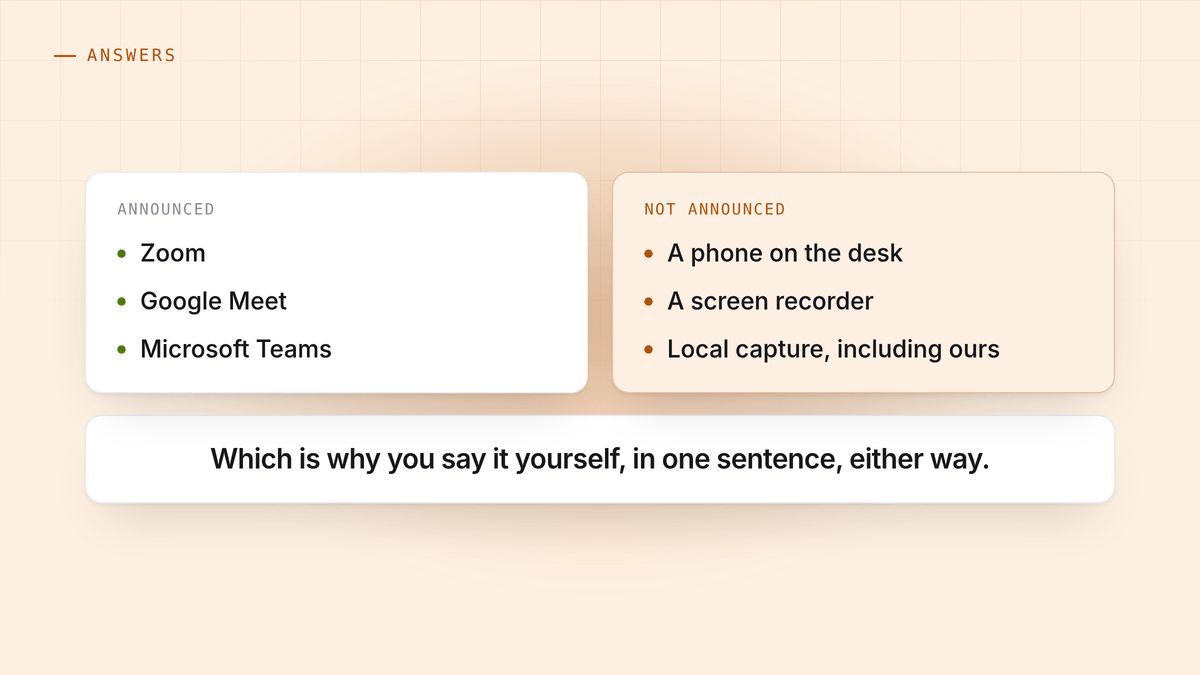
Short answer: yes. Zoom announces it, Google Meet announces it, Microsoft Teams announces it. All three, every time, to everybody.
The longer answer is more useful, because the notice covers less than people assume in one direction and more than they assume in another.
What each platform actually shows
Zoom puts a recording indicator in the meeting window and, depending on the host’s settings, plays an audible announcement when recording starts. Participants joining a call that is already being recorded are told, and are given the choice to consent or leave.
Google Meet shows a recording badge to everyone and announces it when it starts and stops.
Microsoft Teams shows a banner naming the recording, and it stays up.
In all three cases you cannot start a recording quietly from inside the platform. This is deliberate, and it is the correct design.
What the notice does not cover
Here is where the assumption goes wrong. The platform’s notice tells everyone that the platform is recording. It says nothing about anything else in the room.
Not covered:
- Somebody’s phone on the desk. No notice, no badge, no announcement.
- A screen recorder like QuickTime or Game Bar, running on somebody’s machine.
- An app capturing the audio locally, including this one.
- Somebody taking detailed notes, which is a recording in every sense that matters legally, just a slower one.
So the platform indicator is not a guarantee that nothing is being recorded. It is a guarantee about one specific mechanism.
That is worth knowing in both directions. If you assumed the absence of a badge meant nobody was capturing the call, that assumption was never sound. And if you are capturing locally yourself, nobody else’s platform will announce it for you.
Which is why the real question is a different one
“Will they be told” is a question about software. The question that actually matters is “should I tell them”, and the answer to that does not depend on which tool you used.
Under all party consent law, everybody has to agree, and a notice generated by Zoom is not meaningfully different from a sentence you say out loud. Under data protection law you owe people transparency about what you hold on them, and again the source of the notice is irrelevant. Both are set out in is it legal to record a meeting.
The practical rule is one sentence at the top of the call:
“I take notes with an assistant that records the call, is that alright with you?”
Four seconds. It satisfies every regime, it removes the entire jurisdiction question, and it makes the recording normal rather than something discovered later.
The bot in the participant list is not a consent mechanism
A common defence of the AI notetakers that join your call is that the bot’s presence in the participant list is itself the disclosure. Everyone can see it, so everyone has been told.
That is true in a crude way, and it is a poor substitute for asking, for two reasons.
Nobody agreed to anything. Being able to see a thing is not consenting to it. In an all party jurisdiction, “they could have objected” is a weaker position than “they said yes”.
It arrives at the worst possible moment. A named bot appearing in a first call with a client or a candidate is a distraction at precisely the point you were building rapport. People ask what it is. The next two minutes are about your tooling.
Capturing on your own machine means nothing appears, which puts the disclosure back where it belongs: something you say, deliberately, at a moment you chose. That is a better outcome than an automated notice, not a way around one. The engineering behind it is in why nothing joins your meeting.
And stealth mode, plainly
HuddleOwl has a stealth mode. It is worth being exact about what it does, because the name invites the wrong reading.
It hides the coaching overlay from a screen share, so the person you are talking to does not watch you being coached mid-sentence. That is its entire purpose.
It does not hide that a recording is happening, it is not intended to, and it does not touch the other person’s platform notifications. If Zoom is recording, Zoom still says so.
The short version
- Zoom, Meet and Teams all announce their own recording. You cannot turn that off.
- The notice covers that platform only. Phones, screen recorders and local capture are outside it, always have been.
- Tell people anyway, in one sentence, whatever you are using. It is the only answer that works in every jurisdiction and it costs four seconds.
HuddleOwl records on your own machine and coaches you while the call is running. Nothing joins the meeting, so telling people is a sentence you say rather than an announcement a tool makes for you. Free.


