“Free” splits into two very different things here, and the free services usually mean the second one.
Free as in no charge, where the payment is your audio and the limit is the number of minutes before a subscription appears.
Free as in nothing changes hands, where the model runs on your machine and the only cost is a few minutes of CPU.
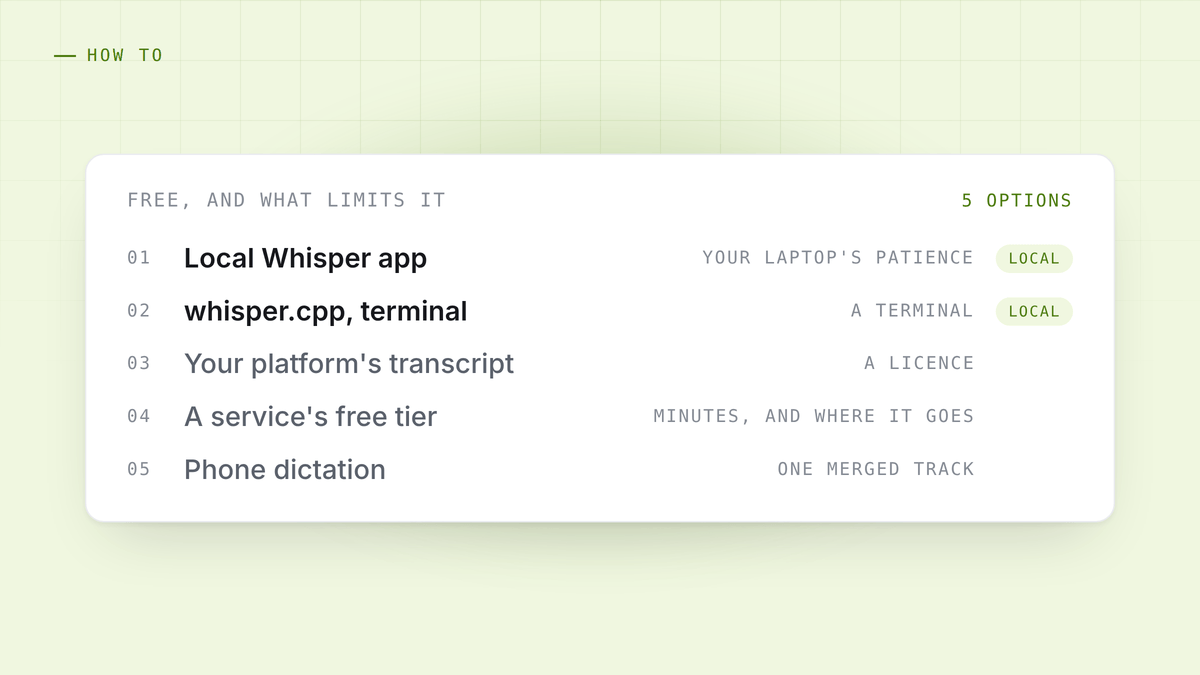
Here are five options, sorted by which kind of free they are, and what each is actually limited by.
1. A local Whisper app
Cost: nothing, permanently. Limit: your laptop’s patience.
OpenAI released Whisper openly in 2022 and the ecosystem around it is now mature. Desktop apps built on whisper.cpp will transcribe an hour of audio in a few minutes on a modern laptop, with the network off, and produce a timestamped transcript.
This is the correct default for anything sensitive: a client call, an interview, a medical or legal conversation, anything under an NDA. The file never leaves the machine, so there is no vendor, no retention period and no deletion request.
The tradeoff is that accuracy depends on the model size you can afford to run, and quality varies a lot by language. Sizes, speeds and memory costs are set out in how to transcribe a meeting on your own machine.
2. Whisper on the command line
Cost: nothing. Limit: you have to be comfortable in a terminal.
Same model, no interface. whisper.cpp is a single binary and a model file; point it at a
.wav and it writes a transcript. Excellent for batch work, and the only sane option if
you have two hundred files.
Worth knowing even if you use an app for daily work, because it is the thing that proves the local claim: no account, no key, no network.
3. Your meeting platform’s own transcript
Cost: included, on the tiers that have it. Limit: a licence, and it only covers calls on that platform.
Teams, Zoom and Meet all produce transcripts on the editions that include them. If your employer already pays, this is the least effort available and the transcript is decent.
It does nothing for audio that did not come from a meeting on that platform, and the output lands in that vendor’s storage, which is a longer conversation.
4. A free tier of a transcription service
Cost: nothing, up to a limit. Limit: minutes per month, and where the audio goes.
The hosted services are genuinely good, particularly on hard audio, and most have a free allowance measured in a few hundred minutes a month.
Read what they do with the audio before using one for anything that matters. The four sentences to search a policy for are in where your meeting recordings go. For a conference talk it is a non-question. For a performance review it is the whole question.
5. Your phone’s built-in dictation
Cost: nothing. Limit: it is not built for this.
Both iOS and Android will transcribe speech live, and for a voice memo to yourself it is fine. For a two-person conversation it produces one merged stream with no speaker labels, and accuracy falls apart the moment people overlap.
Worth knowing as a fallback. Not worth choosing.
Picking, in one line each
- Sensitive audio, any length: local Whisper. This is not a close call.
- A hundred files to get through: whisper.cpp on the command line.
- A meeting on a platform you already pay for: turn on its transcript.
- Difficult audio, nothing confidential: a hosted free tier will beat a small local model.
- A voice memo: your phone already does it.
Two things that improve any of them
Get the audio right. Transcription quality is set by the recording more than by the model. A single merged track of a room is hard for everything. Two separate tracks, your microphone and the other side, is easy for everything, and it means speaker labels are a fact rather than a guess. That is why capturing both sides separately matters, and it is covered in recording a meeting without a bot.
A transcript is not notes. An hour of conversation is roughly nine thousand words. Nobody reads that back. What you wanted was the six sentences that mattered, the things that were agreed, and what to do next. Getting there means something that reads the transcript, which is a separate step from producing it.
HuddleOwl transcribes on your own machine with no account and no network, imports a recording you already have, and gives you the summary, the action items and a scored review rather than nine thousand words. Free.
References
- Whisper, OpenAI.
- whisper.cpp, the C++ runtime.


